Run OCR on your document to make the text selectable.
Please follow the link below,
How to run OCR on Revu Bluebeam
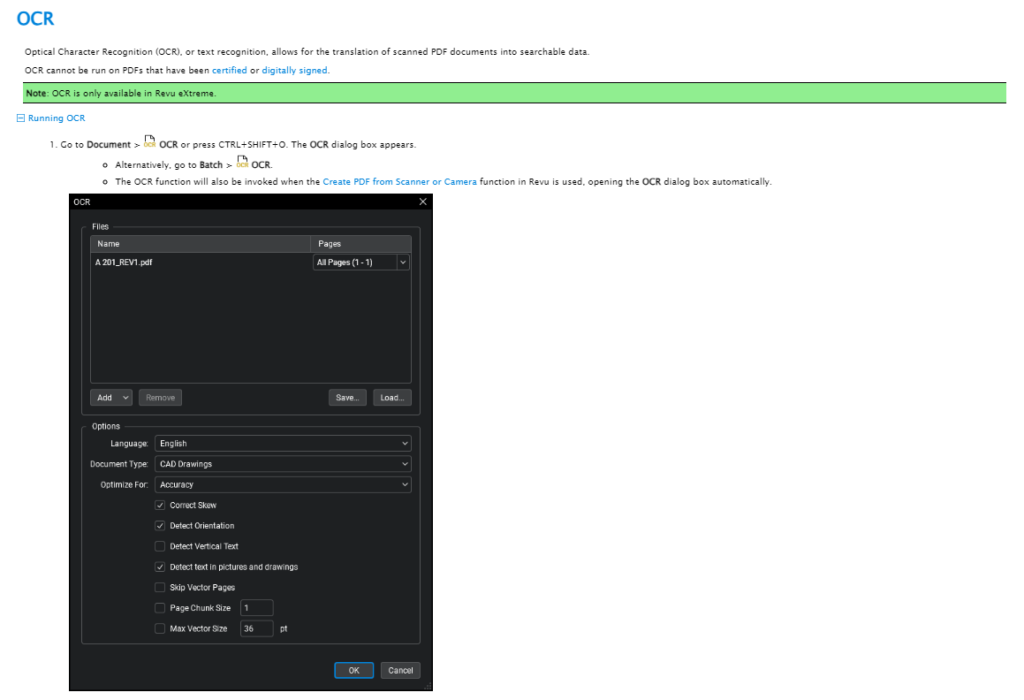
Go to Document >  OCR or press CTRL+SHIFT+O. The OCR dialog box appears.
- Select “Detect Vertical text” option too
Run OCR on your document to make the text selectable.
Please follow the link below,
How to run OCR on Revu Bluebeam
Go to Document > OCR or press CTRL+SHIFT+O. The OCR dialog box appears.